
How to Add Multiple Header Buttons in Squarespace (2026)
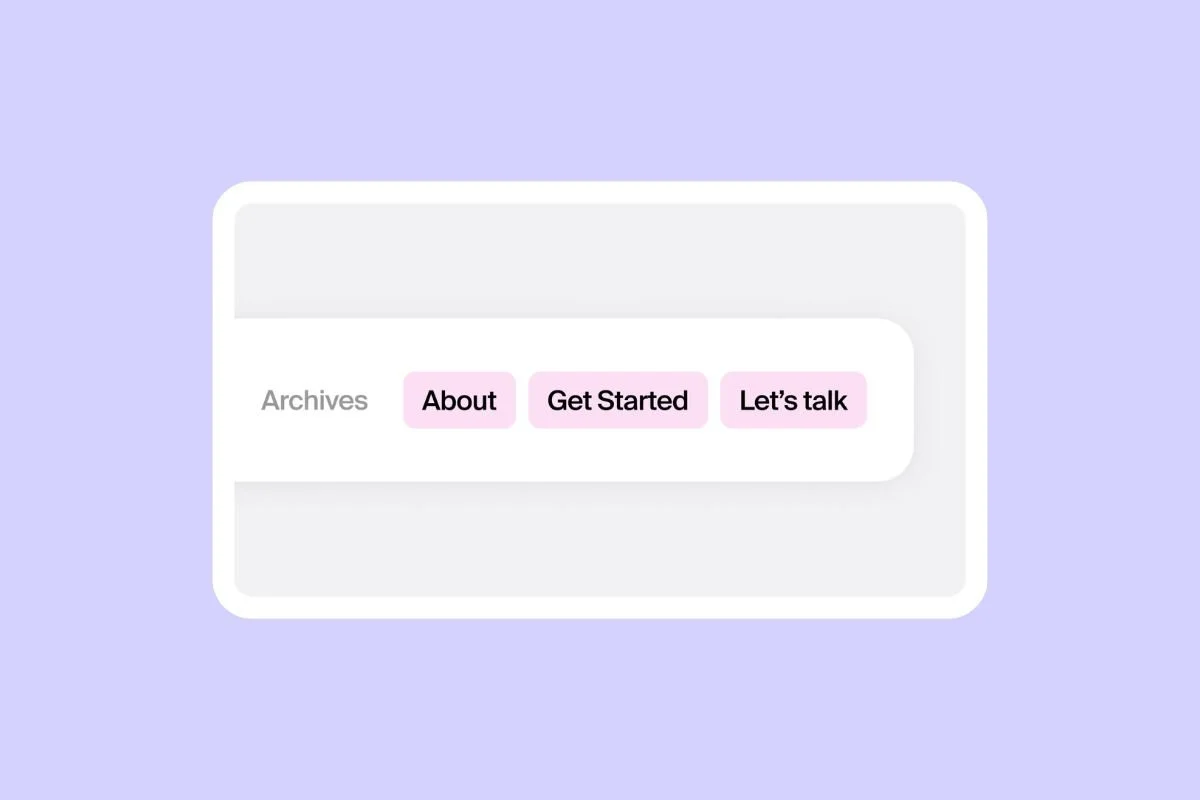
Header buttons are a brilliant way to encourage site visitors to take a specific action, whether that’s requesting a demo, signing up for your newsletter, or buying your products.
While you can only add one header button in Squarespace, you can add up to three additional header buttons using our clever customization!
Here’s how to set it up in three easy steps.
How to add multiple header buttons in Squarespace
Before you begin…
This Spark Plugin customization takes the existing navigation links in your header and turns them into buttons. So make sure your existing header is set up with the links you want to transform into easy-to-click buttons.

You can edit your header by going to any page of your site, hovering over the header and clicking EDIT SITE HEADER.
Step #1: Add Spark Plugin
(If you’ve already added Spark Plugin to your website you can skip this step!)
Sign up for Spark Plugin—you can sign up for a free 14-day trial to see if it’s right for you!
When you sign up, you’ll receive a unique code snippet.
Go to Pages and scroll down to the bottom of the menu. Choose Custom Code and Code Injection.
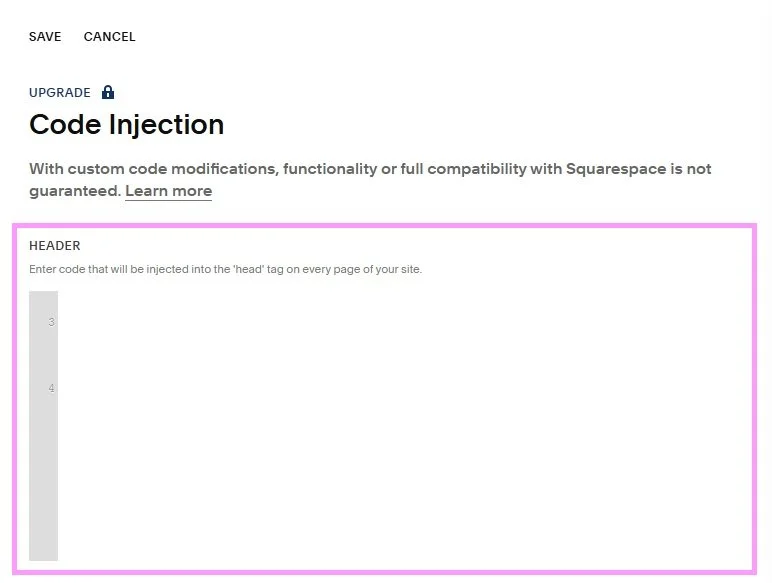
Paste your code snippet into the HEADER box and click SAVE.

You should see a pink starburst icon in the top right-hand corner of your website. If not, log out of your website and log in again.
Step #2: Access the multiple header buttons customization
Click the pink starburst icon to access the Spark Plugin menu. Here you’ll see all the Spark Plugin customizations on offer.
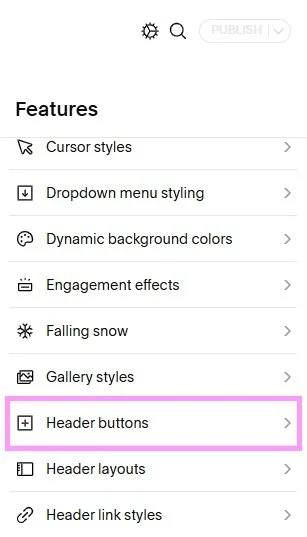
Scroll down and click Header buttons.
(Alternatively you can click the magnifying glass at the top of the menu and search for Header buttons.)
Step #3: Customize your header buttons
Clicking on Header buttons will take you to the Header menu, where you can add your header buttons as well as make additional changes to your header.
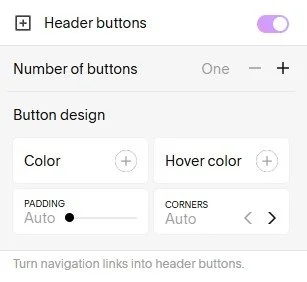
Toggle Header buttons from off to on.
When you do this you will have the option of customizing your header buttons to match the look and feel of your site. You can:
Change the number of buttons. You can have between one and three
Change the button and hover color
Change the distance (padding) between the buttons
Change how rounded the corners of the buttons are
It’s important to note that all the buttons you add using Spark Plugin will share the same color and style.
When you’re happy with how your Squarespace multiple header buttons look, click Publish to save your changes, and that’s all there is to it!
If you want to change things back to the way they were before, just go back into the Header buttons menu and toggle the switch from on to off.
Now you know how to use Squarespace to add multiple header buttons! Which buttons will you add to your website?
p.s Want some more cool ways to customize your header? Check out this guide!